
Create mobile leaderboard banners in minutes. The most common mobile ad size, built for Google Ads, AdMob, and every mobile campaign. No design skills needed.
Create your 320x50 banner free at wizard.viewst.com
What is a 320x50 Mobile Banner?
The 320x50 pixel banner, known as the Mobile Leaderboard or Mobile Banner, is the most widely used ad size in mobile advertising. It appears as a slim horizontal strip at the top or bottom of a mobile web page or app screen, fitting naturally within the mobile viewport without disrupting the user experience.
As mobile has become the primary device for web browsing, the 320x50 has become the default display ad format for mobile campaigns. It's supported by virtually every mobile ad network, including Google AdMob, Google Display Network, Meta Audience Network, and all programmatic mobile DSPs.
320x50 banner specifications
Dimensions: 320 x 50 pixels
IAB name: Mobile Leaderboard or Mobile Banner
Orientation: Horizontal
Max file size (HTML5): 150KB
Supported formats: HTML5, GIF, PNG, JPEG
Common placements: Top or bottom of mobile web pages, app screens
Best for: Mobile web campaigns, app advertising, Google AdMob
Why You Need a 320x50 Banner in Every Mobile Campaign
The default mobile ad size
When running Google Display campaigns with mobile targeting, AdMob campaigns, or programmatic mobile buys, the 320x50 is the first size requested. Without it, your campaign has limited mobile inventory access. It's the equivalent of the 300x250 for desktop. If you're not running it, you're leaving mobile impressions on the table.
Non-intrusive placement
Unlike interstitials that take over the screen, the 320x50 sits at the top or bottom of the mobile interface without disrupting content consumption. Users see it persistently but are not forced to interact, which means better brand perception and lower bounce rates on landing pages.
Strong reach in app environments
The 320x50 is the standard banner format for in-app advertising via Google AdMob and similar networks. If any part of your media mix includes app inventory, this size is essential. It delivers strong scale at efficient CPMs across both gaming and utility app environments.
Design constraints drive creativity
The 320x50's narrow format demands clarity and simplicity: a single strong message, a clear brand mark, and a direct CTA. This constraint tends to produce higher-performing ads because there's no room for clutter. Viewst's templates are designed to make the most of every pixel.
How to Create a 320x50 Mobile Banner with Viewst
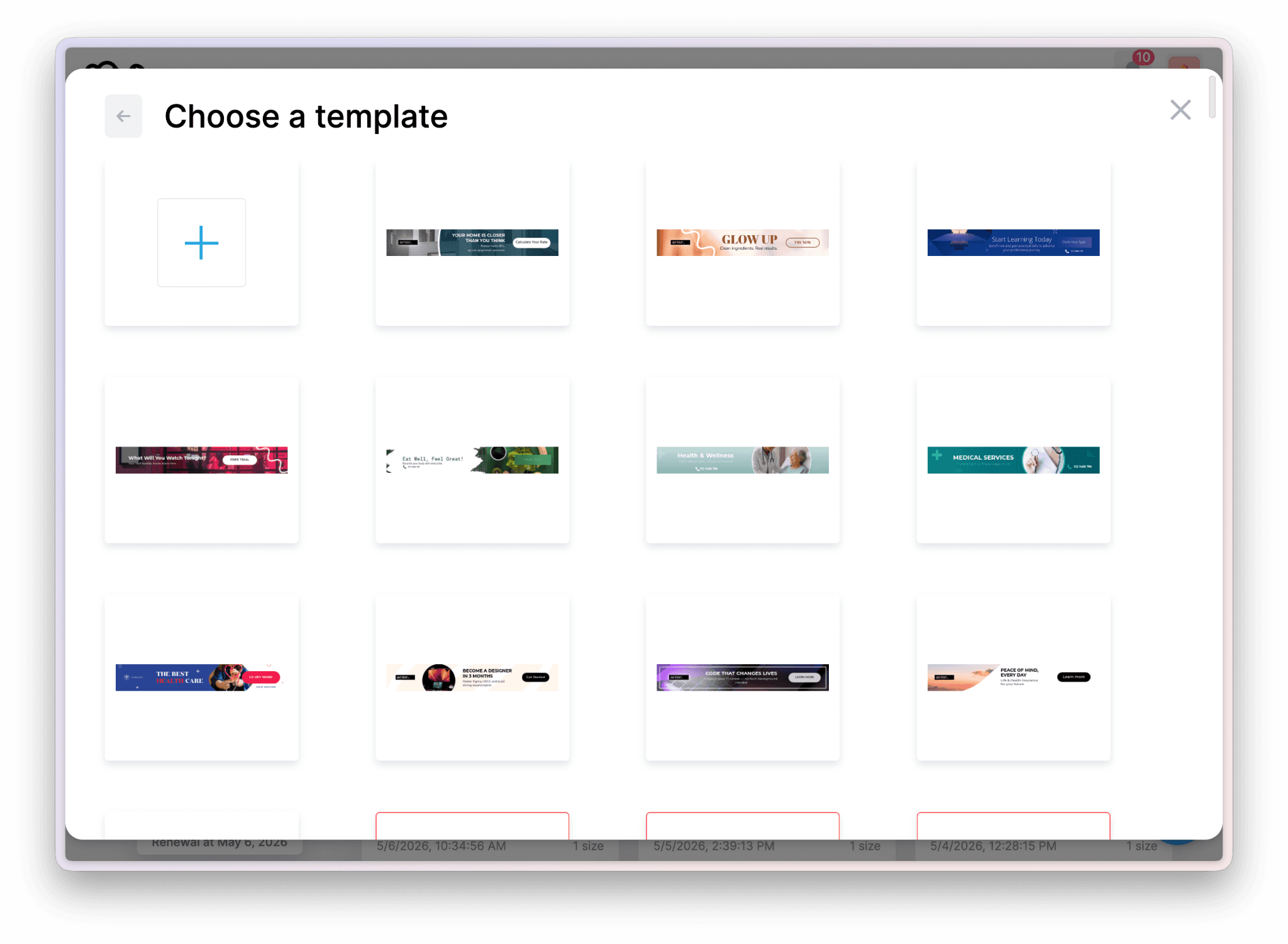
Step 1. Choose a mobile template. Select the 320x50 format in Viewst. Browse mobile-optimized templates designed for the narrow format, with clean layouts and strong CTAs built for thumb-zone interaction. Or start from a blank canvas with your exact brand colors and font choices.
Step 2. Customize for mobile. Add your logo, set your headline to be short and punchy (mobile users scroll fast), and define your CTA button. Keep copy concise. The 320x50 works best with a single message. Viewst's editor shows your design at real pixel dimensions so you're always seeing what will appear on-device.
Step 3. Export for AdMob, Google Ads, or your DSP. Export in HTML5 for interactive animated banners, PNG/JPEG for static placements, or GIF for lightweight animation. All exports meet standard mobile ad network technical requirements. Use AI Smart Resize to also generate a 300x250, 728x90, and other sizes from the same design.
Scale Your Mobile Ad Production with Viewst
AI Smart Resize
Design your 320x50 once, then generate 300x250, 728x90, 160x600, and all other required sizes instantly. Viewst handles layout adaptation automatically. No manual reformatting.
Mobile-first templates
Every 320x50 template in Viewst is designed with mobile constraints in mind: clear hierarchy, legible type at small sizes, and CTAs that work on touchscreens.
Feed-based generation
Connect a product feed and automatically generate a 320x50 banner for each product in your catalog. Run personalized mobile retargeting at scale without manual production.
HTML5 and GIF export
Export to HTML5 for animated mobile banners, GIF for lightweight animation, or PNG/JPEG for static placements. All outputs meet AdMob and Google Ads technical specs.
320x50 Mobile Banner FAQs
What is a 320x50 mobile banner?
The 320x50 is the Mobile Leaderboard, the most common mobile ad size. It appears as a slim horizontal strip at the top or bottom of mobile web pages and apps. It's supported by Google Ads, AdMob, and virtually all mobile ad networks.
Is 320x50 the same as a mobile leaderboard?
Yes. The 320x50 banner is officially called the Mobile Leaderboard by the IAB. It’s also commonly referred to simply as a "mobile banner." The 728x90 is the equivalent desktop Leaderboard format.
What's the difference between 320x50 and 728x90?
The 320x50 is designed for mobile screens; the 728x90 is for desktop. If you're targeting mobile audiences via Google Display or AdMob, use 320x50. For desktop campaigns, use 728x90. Viewst's AI Smart Resize can convert between both sizes in seconds.
Does Google AdMob accept 320x50 banners?
Yes. The 320x50 is the primary standard banner size for Google AdMob. It's the first size requested for mobile app advertising campaigns. Viewst exports AdMob-compatible HTML5 and image formats that meet all technical requirements.
Should I also make a 300x250 for mobile campaigns?
Yes. The best practice for mobile display campaigns is to provide both a 320x50 and a 300x250. The 300x250 (Medium Rectangle) is the most common banner size overall and performs well on mobile within content. Viewst's AI Smart Resize converts your 320x50 design into a 300x250 automatically.
Further reading
The best display ad tools for 2026: how Viewst compares to other platforms for mobile and desktop banner production.
Display ad production automation: how to scale a 320x50 design across every other size without manual resizing.
Build your 320x50 mobile campaign today
Join 17,000+ brands using Viewst to create display ads at scale. Free to start at wizard.viewst.com.

Dasha is a content and product contributor at Viewst, focused on AI-driven creative production and modern advertising workflows. Her work explores how teams can streamline asset creation, scaling, and deployment using new technologies.
In this article
" height="11.060000000000002px" id="wzBCZ87AK" transform="translate(6.47 2.47)" width="6.590000000000003px"/></g></svg>)