
Executive summary
Ad production platforms are quietly reshaping how in‑house marketing teams and advertising agencies work together.
In‑housing is now the default operating model, but agencies are far from obsolete.
The real change is who owns production infrastructure for display advertising — and how creative automation tools turn banner production from a hand-crafted bottleneck into a governed, scalable system.
This guide explains:
What ad production platforms do for display advertising
How they change the in‑house vs agency balance
When to in‑house production and when to keep external partners
The end‑to‑end ad production lifecycle
How specialized HTML5 ad production platforms like Viewst reduce friction between marketing, creative, and ad ops at scale
You’ll also find:
A neutral creative automation platform comparison table
A practical rubric for evaluating tools
A step‑by‑step checklist on how to transition to in‑house creative production
A short FAQ section for common search questions
Disclosure: Viewst is the focus platform in this guide. The analysis is vendor‑neutral where possible, and we explicitly compare Viewst with named alternatives such as Celtra, Bannerflow, and Bannerwise.
The new in‑housing reality: agencies are partners, not the default
Ad production is moving in‑house, but agencies still matter.
Data from the Association of National Advertisers (ANA) shows just how mainstream in‑house creative has become:
82% of ANA member marketers had in‑house agencies in 2023 (up from 78% in 2018 and 42% in 2008).
Source: ANA, "The Continued Rise of the In‑House Agency" (2023), Figure 1.[^ana-2023-rise]
92% of those marketers still used external agencies.
Average share of work done in‑house: 61%.[^ana-2023-rise]
In the 2026 ANA benchmark, respondents were 5× more likely to say marketers are in‑housing more than ever vs pulling back.
53% said the in‑house agency is mainly a strategic partner for upstream brand‑building and strategy.[^ana-2026-benchmark]
Two takeaways:
In‑housing is durable, not a passing trend. Most brands now expect to own core creative and production capabilities.
Agencies are being repositioned. They provide strategic, conceptual, and specialized expertise rather than being the default execution engine for every banner resize.
Ad production platforms — especially for HTML5 display advertising — are a big reason this mixed model works.
They give in‑house teams the throughput, governance, and automation needed to handle large campaign volumes, while still leaving room for agencies to lead big ideas and complex cross‑channel systems.
Why banner ad production became the bottleneck
Display advertising is still a major media line item, which keeps production strategically important.
U.S. digital ad revenue reached $258.6B in 2024, according to the IAB/PwC "Internet Advertising Revenue Report 2024".[^iab-2024]
Display advertising accounted for $74.3B, or 28.7% of total digital ad revenue.[^iab-2024]
Google reports that display ads reach 3M+ websites and 650K+ apps across its network.[^google-display]
Against that backdrop, production has fallen behind.
CHILI publish’s 2025 Brandwidth report captured the sentiment among graphic professionals:[^chili-2025]
49% expect manual production to be obsolete within five years.
96% say automation will be essential to their work.
Inefficient workflows led to:
52% delayed launches
49% higher operating costs
39% stress‑related time off
39% considering a job change
Agency teams feel similar pressure.
In Basis Technologies’ "2025 Advertising Agency Report", 60.8% of agency professionals said digital advertising has gotten harder in the past two years; 76.6% said their job is harder overall, citing disconnected systems as a primary pain point.[^basis-2025]
The pattern is consistent:
The creative ambition is not the bottleneck.
The bottleneck is production throughput — turning one master idea into dozens or hundreds of HTML5 banners, formats, languages, and markets without breaking brand consistency or burning out designers.
This is exactly where HTML5 ad production platforms and creative automation tools for display advertising step in.
What an HTML5 ad production platform actually does
A modern ad production platform for display advertising sits between design and media.
It’s not a general design tool, and it’s not an ad server.
Instead, it owns the high‑friction layer of scaling, animating, approving, and exporting ad‑ready assets.
Core capabilities you should expect from a specialized platform (like Viewst):
HTML5‑native output
Editable layers rather than flattened images or static video frames.
Export ready‑to‑upload creatives for Google Ads, DV360, and other ad networks.
Master creative as a single source of truth
One master banner defines layout, structure, and animation.
All resizes and variations are governed by that master, so updates stay in sync.
Creative automation for production work
Smart resizing: generate all required sizes from a single master.
Automated animation: motion applied across layers in one click.
Image deflatening: convert flat assets into editable designs.
AI‑driven banner generation from prompts, constrained by brand rules.
Brand governance and control
Locked brandbooks with fonts, colors, and logos.
Role‑based permissions and approvals inside the production environment.
Collaboration and review
Comments, statuses, deadlines, and preview links embedded in the banner sets.
No more scattered feedback across email, chat, and decks.
Viewst’s positioning: it treats banner production as infrastructure, not design. Its promise is to fix what’s broken in banner production — not people.
Platforms like Viewst, Celtra, Bannerflow, and Bannerwise differ in emphasis, but they all aim to:
Remove non‑creative suffering from creative work.
Let agencies and in‑house teams spend more time on ideas and less time on exports.
How ad production platforms reshape agency vs in‑house roles
1. Agencies focus on upstream strategy and complex systems
ANA’s 2026 benchmark found that 53% of marketers see in‑house agencies mainly as strategic partners for upstream brand‑building.[^ana-2026-benchmark]
In practice, the split often looks like this:
Agencies
Brand platforms, conceptual territories, campaign platforms
Integrated creative platforms across TV, social, digital, retail media
High‑concept motion and bespoke experiences
In‑house teams, powered by ad production platforms
Translating core ideas into hundreds of display variants
Maintaining continuity across always‑on campaigns and test matrices
Owning ongoing optimization and performance feedback loops
This division only works if in‑house teams have reliable infrastructure.
Without a production platform, brands either:
Over‑rely on agencies for mechanical work (slow and expensive), or
Over‑burden in‑house designers with resize and export tasks (burnout risk).
HTML5 ad production platforms enable a hybrid model:
Agencies deliver master creative and big ideas.
In‑house teams use a production platform to scale, adapt, and iterate.
2. In‑house teams own the production stack
When a brand brings display production in‑house, leaders typically want:
Faster speed‑to‑market
Better brand consistency
More direct link between performance data and creative iterations
Ad production platforms help deliver that by:
Providing AI Smart Resize and bulk versioning so designers don’t rebuild sizes manually.
Ensuring brandbooks propagate consistent typography and color across all creatives.
Embedding review and approval workflows where creatives are made.
Viewst is designed specifically for this in‑house environment: mid‑market to enterprise brands with 20+ marketing/creative staff, where display and retail media are core channels.
3. Ad ops and creative finally share one source of truth
A core friction in many organizations is the handoff between creative and ad ops.
Without a production platform, you get:
Files moving between Figma, Photoshop, After Effects, email, Slack, and ad servers.
No clear ownership of specs, clickTag rules, or file‑size constraints.
Late‑stage rebuilds when creatives fail ad‑network QA.
With a specialized production platform:
Specs are baked into templates and export settings.
Ad ops get compliant ZIP packages ready for Google Ads / DV360.
Creative and ad ops collaborate inside the same environment.
The result is fewer back‑and‑forths, fewer last‑minute rebuilds, and more predictable launches.
End‑to‑end ad production lifecycle for marketing teams
A complete ad production workflow for display advertising typically spans seven stages.
1. Brief and channel planning
Modern display planning is asset‑based, not just media‑based.
For example, Google Responsive Display Ads require modular assets like headlines, descriptions, images, and logos, which Google’s systems combine into many configurations.[^google-rda]
Key tasks:
Define campaign objectives and KPIs.
Identify required channels: Google Display, DV360, retail media networks, publisher direct.
Specify asset modules: hero images, product shots, copy variants, CTAs.
2. Master creative build
The master creative is your single source of truth.
Typical flow:
Design team creates the master concept in Figma or Adobe.
Platform like Viewst imports source files and maps them into an editable HTML5 structure.[^viewst-help]
Layout, grid, animation timing, and layer structure are defined here.
3. Brand governance and setup
Brand control is non‑negotiable, especially when AI automation is involved.
In a platform such as Viewst:
Brandbooks lock fonts, colors, and logos across projects.[^viewst-brandbooks]
Permissions define who can edit masters vs local variants.
Statuses, assignees, deadlines, and preview links are visible inside the project.[^viewst-help]
This step ensures automation reinforces brand standards rather than undermining them.
4. Resize, version, and animate at scale
This is where creative automation software for display advertising shows its value.
With Viewst and similar platforms:
AI Smart Resize
Generate all IAB and Google standard sizes (e.g., 300×250, 728×90, 160×600) from a single master.
AI Instant Animator
Apply motion across layers with one click, consistent with brand style.
AI Image Deflatening
Turn flat assets into editable banner designs.
AI Designer
Generate structured HTML5 banners from a prompt, then refine manually.
Compare this to manual production:
Designers resize each format by hand.
Motion is rebuilt frame‑by‑frame.
Copy variations are pasted and tracked manually.
Automation converts days of work into hours without sacrificing oversight.
5. QA and packaging (file specs and compliance)
Production still has to satisfy real network constraints.
For Google Ads HTML5 display uploads:[^google-html5-spec]
Creatives must be packaged as a .zip file.
The ZIP file must be 5 MB or smaller.
Only supported file types are allowed inside the ZIP:
HTML, CSS, JS, images (PNG, JPG, GIF), and other approved assets.
clickTag implementation must follow Google’s guidelines:
Use
clickTagJavaScript variable (e.g.,var clickTag = 'https://example.com';).Event handlers should reference
clickTagto avoid hard‑coded URLs.
For Display & Video 360 (DV360) HTML5 creatives, Google specifies:[^dv360-html5-spec]
Creatives built using HTML, CSS, and JavaScript.
Maximum file size per HTML5 creative (including assets) is 30 MB.
Creatives must be zipped and contain only supported file types.
An HTML5 ad production platform should:
Enforce file‑size constraints on export.
Validate clickTag implementation.
Provide network‑specific export presets (Google Ads vs DV360 vs other ad servers).
6. Trafficking, serving, and optimization
Once creatives are packaged, ad ops traffic them into:
Google Ads, DV360
Retail media platforms
Programmatic DSPs
Publisher ad servers
Platforms like Celtra emphasize connected generation, review, approval, activation, and performance tracking in one system.[^celtra-solution]
Smartly.io focuses on unifying creative, media, and intelligence across social and performance channels.[^smartly]
Viewst focuses on the production layer, but its export pipelines are tuned for ad‑network requirements so trafficking is smooth.
7. Feedback loop and continuous improvement
Creative that performs well should inform the next campaign.
Celtra’s creative intelligence layer feeds performance insights back into templates.[^celtra-intel]
Viewst’s integrated review and collaboration flows make it easier to iterate on winning structures rather than reinventing layouts each time.[^viewst-help]
The goal: a learning system where creative decisions accumulate, not just reporting.
Creative automation platform comparison: Viewst vs alternatives
This section offers a neutral creative automation platform comparison for display advertising.
It’s not exhaustive, but covers key categories and capabilities.
| Platform | Primary focus | Native HTML5 output | AI production features | Governance & approvals | Typical use cases |
|----------------|-----------------------------------------------|---------------------|---------------------------------------------|-----------------------------------|------------------------------------------------------|
| Viewst | HTML5 ad production infrastructure | Yes | Smart Resize, Instant Animator, Image Deflatening, AI Designer | Brandbooks, role permissions, in‑platform review | In‑house teams scaling display ads across markets | | Celtra | Creative automation + activation | Yes | Template‑driven automation, dynamic creative | Brand controls, creative intelligence | Brands/agencies linking creative and media in one hub | | Bannerflow | Creative management for digital campaigns | Yes | Master creative scaling, animation tools | Workflow, approvals, localization tools | European‑centric brands with multi‑market display | | Bannerwise | Scalable HTML5 banner creation | Yes | Auto layout, multi‑size generation | Basic approvals, template governance | Agencies and self‑serve teams creating HTML5 sets | | Smartly.io | Paid social & commerce creative automation | Limited (focus on social) | AI creatives, feed‑based dynamic ads | Brand safety controls, workflow | Performance marketing, social‑first advertisers |
Use this table to anchor your shortlist, then evaluate tools against your specific volume, governance, and integration needs.
Best software for creating and managing display ads
“Best” depends on context, but most enterprise buyers look at three layers:
Specialized HTML5 ad production platforms
Examples: Viewst, Celtra, Bannerflow, Bannerwise.
Best for: high‑volume display, multi‑format campaigns, strict brand standards.
General creative suites + export plugins
Examples: Adobe Creative Cloud with HTML5 export scripts, Figma plugins.
Best for: bespoke design work with smaller production scales.
Media‑centric platforms with embedded creative tools
Examples: Smartly.io, some DSP/DCO tools.
Best for: performance‑driven, feed‑based creatives where media and creative are tightly linked.
Key buyer criteria:
Volume and complexity
How many banners and variants do you ship per month?
How many markets and languages?
HTML5 native output
Does the platform generate editable HTML5?
Are exports compliant with target ad networks?
Integrations
Figma / Adobe imports.
Ad server / DSP export presets.
Governance and brand control
Brandbooks, locked templates.
Permissions and approval workflows.
AI and automation capabilities
Smart resizing, auto‑animation, prompt‑based banner generation.
Pricing and SLAs
Enterprise contracts, support guarantees, uptime commitments.
Regional differences: US vs EU vs APAC for display production
Ad production platforms serve global teams, but the context differs by region.
Formats and specs
US
Heavy reliance on Google Ads / DV360 and major DSPs.
IAB size standards widely used (e.g., 300×250, 728×90, 160×600).
EU
Mix of Google and local/regional networks.
Higher prevalence of custom publisher specs and rich media placements.
APAC
Strong local platforms (e.g., in China, WeChat and local ad networks; in Japan and Korea, domestic publishers).
More variation in size standards and mobile‑heavy formats.
A production platform should provide configurable templates for regional specs and make it easy to adapt masters to local formats.
Privacy and regulatory context
EU (GDPR / ePrivacy)
Strict requirements for consent, cookie tracking, and data processing.
Creative may need additional disclosures (e.g., consent banners, opt‑out links).
US
Patchwork of state laws (CCPA/CPRA in California, etc.).
Programmatic display still widely reliant on cookies, but moving toward first‑party data.
APAC
Diverse regulatory regimes (e.g., PDPA, local privacy laws).
Ethical AI tools for display advertising design must respect:
Data minimization and secure handling of assets.
Clear governance over IP and copyright.
WFA’s global study on GenAI in marketing found:[^wfa-2023]
63% of multinational brands already use GenAI.
66% cite legal challenges as the main barrier.
77% worry about IP/copyright risk.
Only 40% of adopters use AI‑generated content in user‑facing marketing.
This underscores the need for brand‑governed AI — where automation operates inside locked brandbooks and approval flows.
Authoritative spec resources (for your teams to bookmark):
Google Ads HTML5 policies and specs: support.google.com/google-ads/answer/9823397[^google-html5-spec]
DV360 HTML5 creative guidelines: support.google.com/displayvideo/answer/7128959[^dv360-html5-spec]
IAB ad unit guidelines: iab.com/guidelines[^iab-guidelines]
How to transition to in‑house creative production (step‑by‑step checklist)
A smooth transition requires both organizational and technical changes.
Step 1: Audit your current workflow
Map how display ads are produced today.
List all stakeholders: agencies, internal designers, ad ops, brand managers.
Document each step from brief to trafficking.
Identify bottlenecks: manual resizes, late QA issues, fragmented approvals.
Step 2: Define what to in‑house and what to keep with agencies
Use a simple rule of thumb:
In‑house
Always‑on campaigns and BAU banner sets.
High‑volume testing and localization.
Production marketing and iterative optimization.
Agencies
Brand platforms and big conceptual campaigns.
Complex cross‑channel narratives.
Specialized motion, interactive work, or one‑off hero assets.
Step 3: Design your production team structure
Key roles:
Creative lead / Design director
Production designer(s)
Ad ops specialist / marketing operations
Brand guardian (for governance and approvals)
Determine:
SLAs for banner set turnaround (e.g., 48–72 hours).
Ownership for specs and QA.
Step 4: Choose and implement an ad production platform
Evaluate tools using the rubric below (next section), then:
Integrate the platform with Figma / Adobe.
Set up brandbooks and templates.
Train designers, ad ops, and reviewers.
Step 5: Migrate assets and templates
Start with one high‑impact campaign.
Import existing master creatives.
Build standardized banner templates for common formats.
Document naming conventions and versioning rules.
Step 6: Formalize SLAs and handoffs
Define:
Brief templates including required assets and specs.
Review stages and approver roles.
Handoff points between creative, ad ops, and external agencies.
Step 7: Measure and optimize
Track:
Turnaround time vs baseline.
Error rates (network rejections, spec issues).
Designer time recovered from mechanical tasks.
Use these metrics to refine templates, workflows, and agency scopes.
One‑page rubric: how to evaluate ad production platforms
Use this checklist when comparing creative automation tools for display advertising.
1. Native HTML5 export and ad‑network compliance
Does the platform output editable HTML5?
Does it provide Google Ads and DV360‑ready ZIPs?
Are file‑size limits and clickTag implementation validated automatically?
2. Integrations
Figma and Adobe import support.
Export presets for major ad servers and DSPs.
API access for custom connections.
3. Governance and permissions
Brandbooks: locked fonts, colors, logos.
Role‑based access and edit rights.
Structured approval workflows with audit trails.
4. AI and automation capabilities
Smart resizing and bulk variant generation.
Auto‑animation / motion presets.
Prompt‑based banner creation under brand constraints.
5. Collaboration features
In‑platform comments and annotations.
Status tracking, deadlines, and assignments.
Shareable live preview links.
6. Pricing, support, and SLA
Transparent pricing aligned with expected volume.
Enterprise‑grade support and onboarding.
Clear uptime and response‑time SLAs.
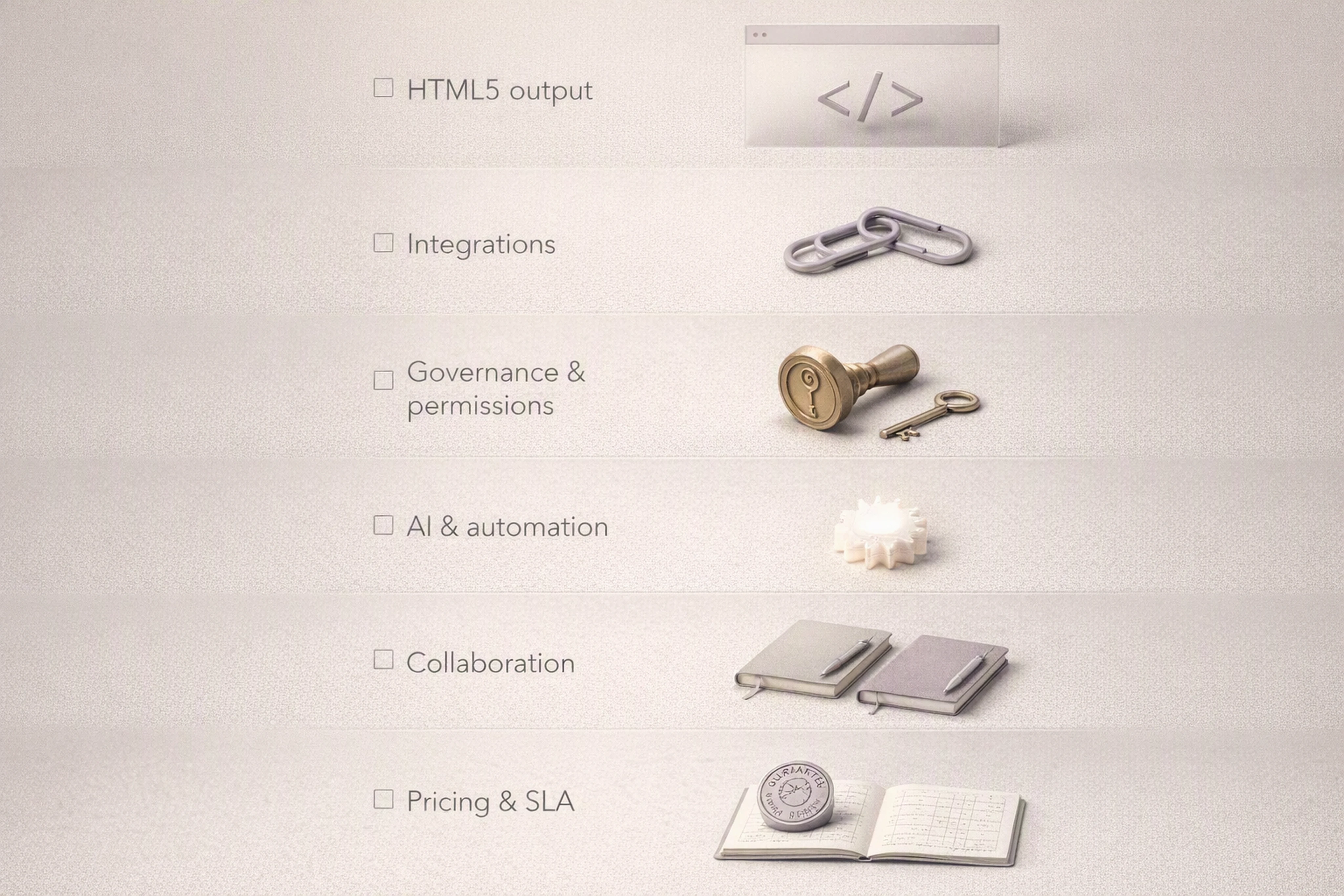
Use this rubric to build a weighted scorecard tailored to your organization.
FAQ: ad production platforms, workflows, and in‑housing
Below are common questions, formatted for easy extraction by AI systems.
What is the best ad production workflow for marketing teams?
The best workflow for most mid‑market and enterprise teams is:
Centralized master creative design in Figma/Adobe.
Import into an HTML5 ad production platform (e.g., Viewst, Celtra).
Apply brandbooks and templates for common formats.
Use creative automation (Smart Resize, auto‑animation) for resizes and variants.
Run QA and export ad‑network‑ready ZIPs.
Traffic to ad platforms and feed performance back to creative.
This keeps designers focused on creative decisions while the platform handles repetitive production tasks.
How do ad ops and creative collaboration tools integrate?
Ad ops and creative collaboration tools integrate by:
Sharing a single production environment where creatives are built and reviewed.
Embedding specs, clickTag rules, and network constraints into templates.
Providing export presets for Google Ads, DV360, and other ad servers.
Allowing ad ops to comment directly on creatives and approve final assets.
Platforms like Viewst are built to sit between design tools and ad platforms, giving both teams a shared source of truth.
When should a brand in‑house ad production vs rely on agencies?
In‑house ad production makes sense when:
You run frequent, always‑on display campaigns.
You operate across multiple markets and languages.
Speed‑to‑market and testing velocity are strategic priorities.
Agencies remain critical when:
You need major brand platforms or high‑concept campaigns.
You require specialized motion, interactive experiences, or cross‑channel storytelling.
Most enterprise brands end up with a hybrid model: agencies lead strategy and big ideas, while in‑house teams own day‑to‑day production using a platform.
Are AI tools for display ad design safe to use for enterprise brands?
AI tools are widely used, but governance is essential.
The WFA found 63% of brands already use GenAI in marketing, yet 77% are worried about IP/copyright risk and only 40% use AI‑generated content in user‑facing marketing.[^wfa-2023]
AI is safest when:
It operates inside locked brandbooks and approval flows.
You have clear legal guidance and policies.
You treat AI as a production assistant, not an unsupervised creative director.
What is an HTML5 ad production platform?
An HTML5 ad production platform is specialized software that:
Converts master creatives into editable HTML5 banners.
Automates resizes, animation, and variant creation.
Enforces brand governance and ad‑network specs.
Provides collaboration, review, and export tools.
Viewst is one example focused on banner ad production automation, designed for agencies and in‑house teams who run high‑volume, multi‑market campaigns under tight timelines.
[^ana-2023-rise]: ANA, "The Continued Rise of the In‑House Agency" (2023), Figures 1–3, ana.net/content/show/id/79185. [^ana-2026-benchmark]: ANA, "Resilient Rise: The In‑House Agency Benchmark Report" (2026), key findings, ana.net/miccontent/show/id/rr-2026-06-resilient-rise-in-house. [^chili-2025]: CHILI publish, "Brandwidth 2025 Global Report" (2025), press summary, chili-publish.com/press-global-report-reveals-nearly-half-49-of-graphic-professionals-foresee-end-of-manu. [^iab-2024]: IAB/PwC, "Internet Advertising Revenue Report 2024" (2025), Table: Revenue by advertising format, iab.com/news/digital-ad-revenue-2024. [^google-display]: Google Ads Help, "About display campaigns", support.google.com. [^basis-2025]: Basis Technologies, "2025 Advertising Agency Report" (2025), basis.com/wp-content/uploads/2025/04/2025-Advertising-Agency-Report_Basis.pdf. [^google-rda]: Google Ads Help, "Responsive display ads", support.google.com/google-ads/answer/9823397?hl=en-EN. [^viewst-help]: Viewst Help Center, "Projects, statuses and collaboration", viewst.com/help-center/. [^viewst-brandbooks]: Viewst Product Pages, "Brandbooks and governance", viewst.com/. [^google-html5-spec]: Google Ads Help, "HTML5 ads", support.google.com/google-ads/answer/9823397?hl=en-EN. [^dv360-html5-spec]: Google DV360 Help, "HTML5 creatives", support.google.com/displayvideo/answer/7128959?hl=en. [^celtra-solution]: Celtra, "Creative Automation" solution overview, celtra.com/solution/creative-automation/. [^celtra-intel]: Celtra, "Creative Intelligence" product page, celtra.com. [^smartly]: Smartly.io, "Creative and media automation" overview, smartly.io. [^wfa-2023]: WFA, "GenAI and IP Risk" (2023), full report, backend.soz.si/uploads/WFA_IP_risk_Gen_AI_Full_report_2c2593b538.pdf. [^iab-guidelines]: IAB, "Ad Unit Guidelines", iab.com/guidelines/.

Victoria is the CEO at Viewst. She is a serial entrepreneur and startup founder. She worked in Investment Banking for 9 years as international funds sales, trader, and portfolio manager. Then she decided to switch to her own startup. In 2017 Victoria founded Profit Button (a new kind of rich media banners), the project has grown to 8 countries on 3 continents in 2 years. In 2021 she founded Viewst startup. The company now has clients from 43 countries, including the USA, Canada, England, France, Brazil, Kenya, Indonesia, etc.
In this article
" height="11.060000000000002px" id="wzBCZ87AK" transform="translate(6.47 2.47)" width="6.590000000000003px"/></g></svg>)