To customize the appearance of your Text elements and CTAs, you have the option to apply unique styles to each individual text fragment, or to change the style of the entire element.
You can change the text style not only for text elements but also for buttons. Text style includes font, size, line height, alignment, and color.
To change the font
Click on the Font Family menu
1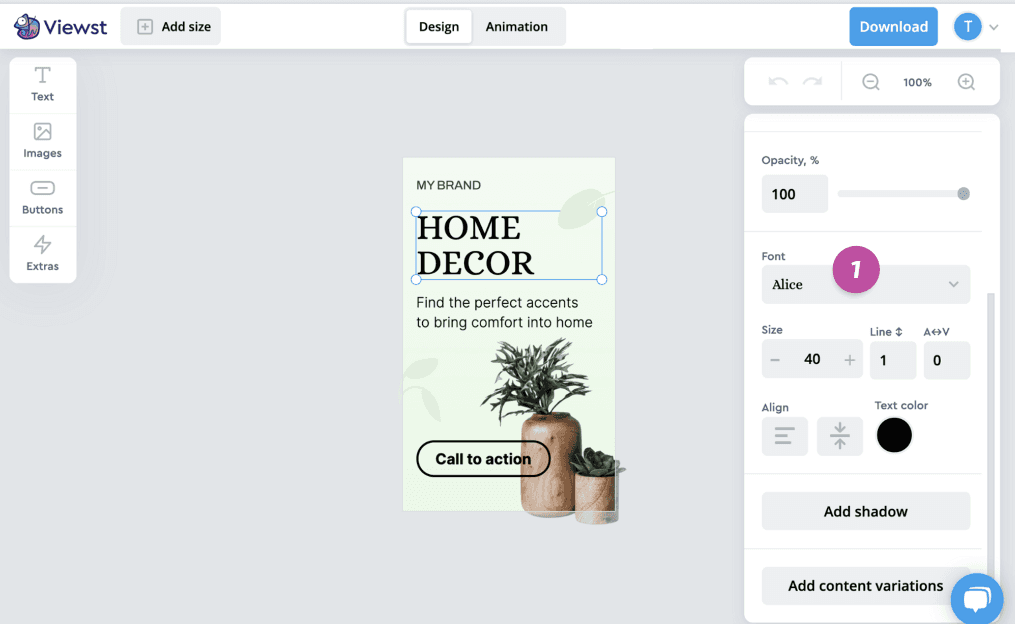
Choose the font from the library of 1100+ fonts. You can search for fonts by name, by typing their name into the font field
2.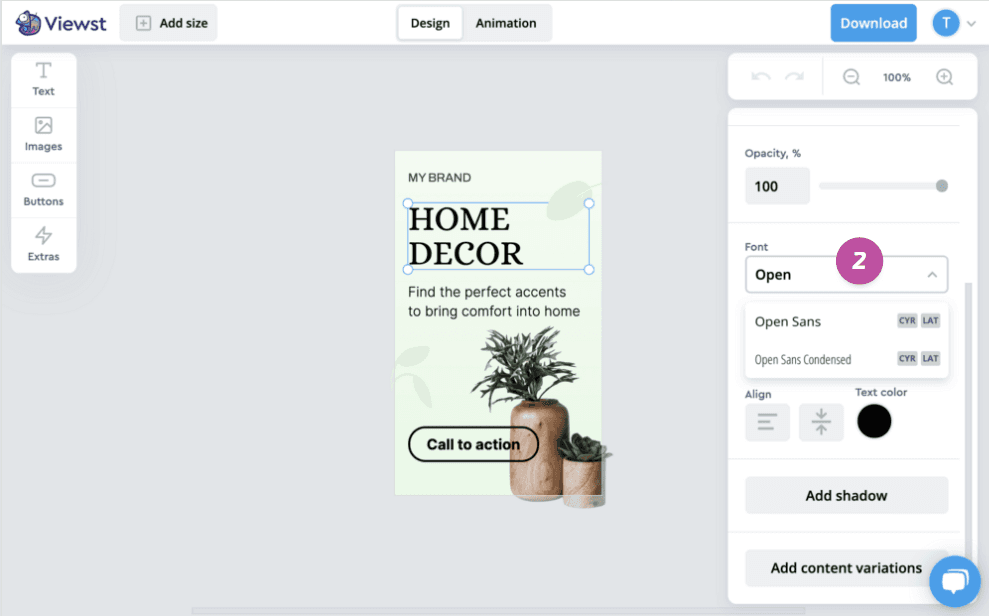
Click on the font to apply it.
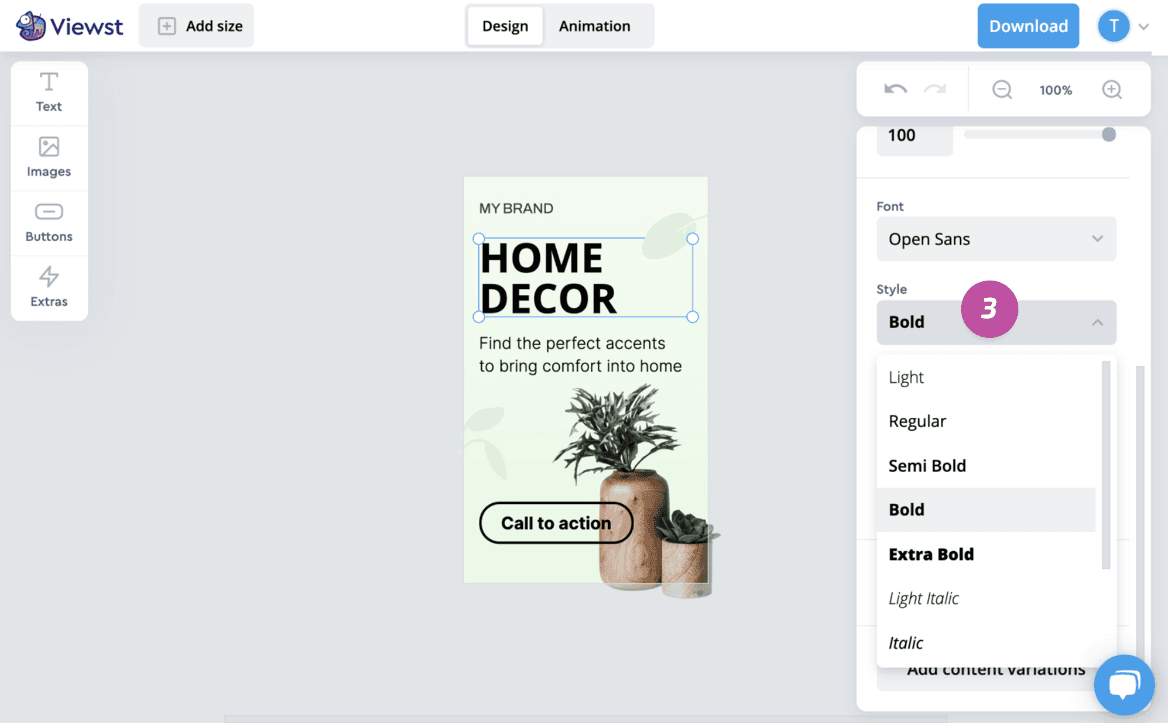
Fonts can contain different styles e.g. Bold or Italic. You can view and change these in the Style menu
3.
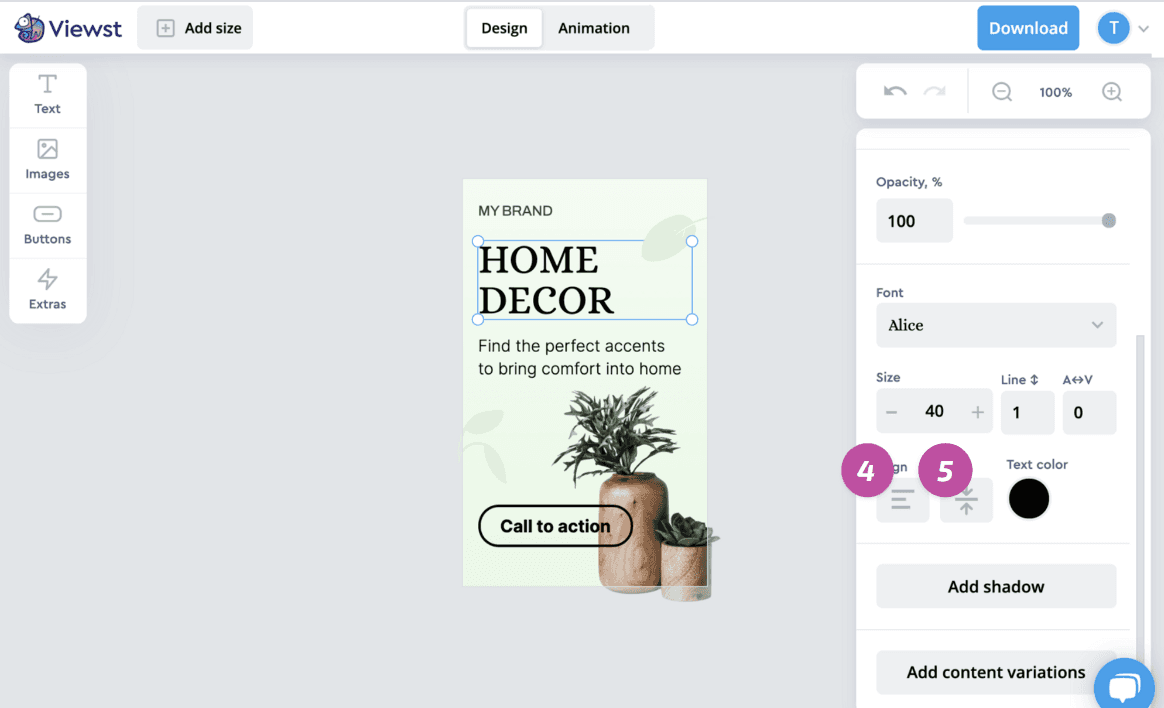
To change the alignment
Click on one of the available Text align options: left, center, or right 4 and top, middle, or bottom 5.
To change color
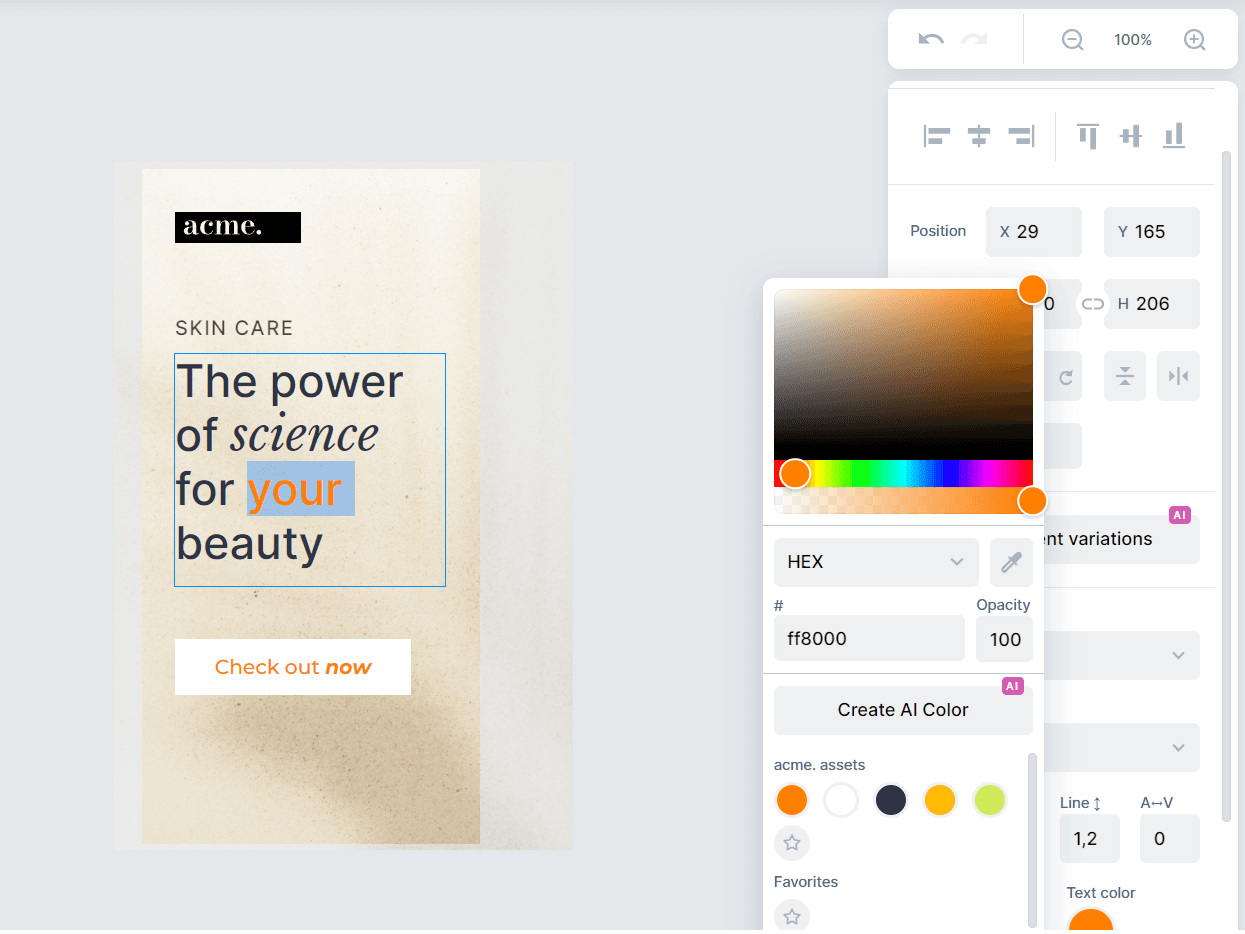
Click on the Color preview
6.Choose a color in Palette
7by clicking on the hue and shade you would like. You can also set the specific color using HEX, RGB, or HSL codes.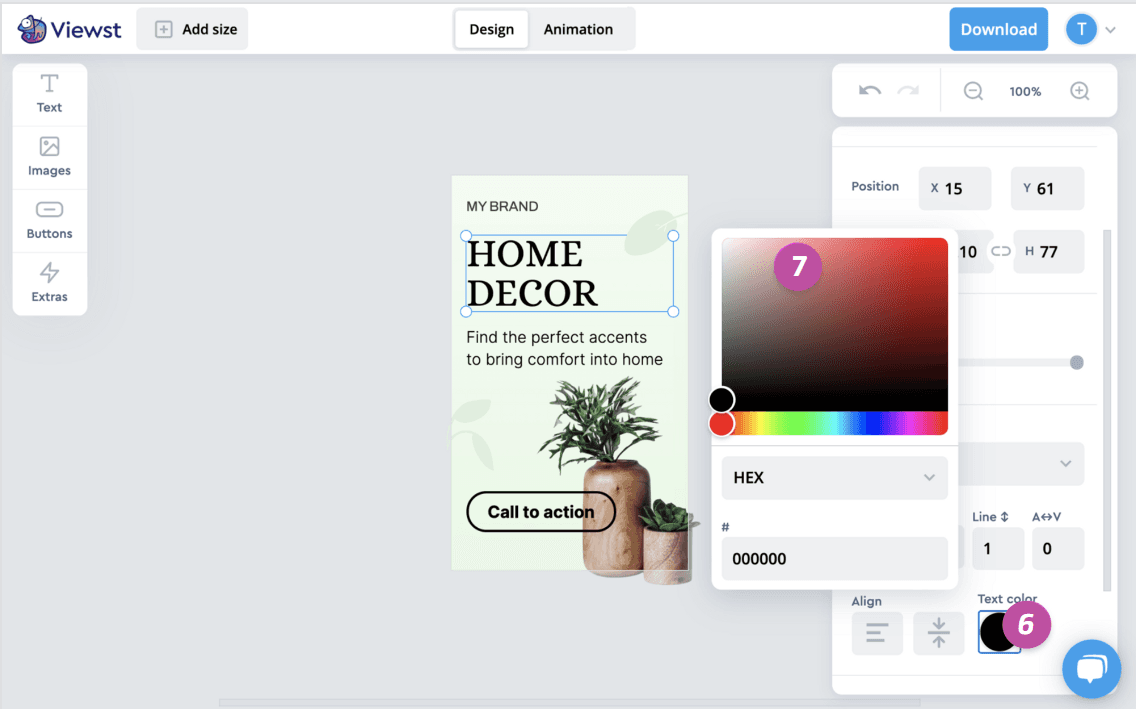
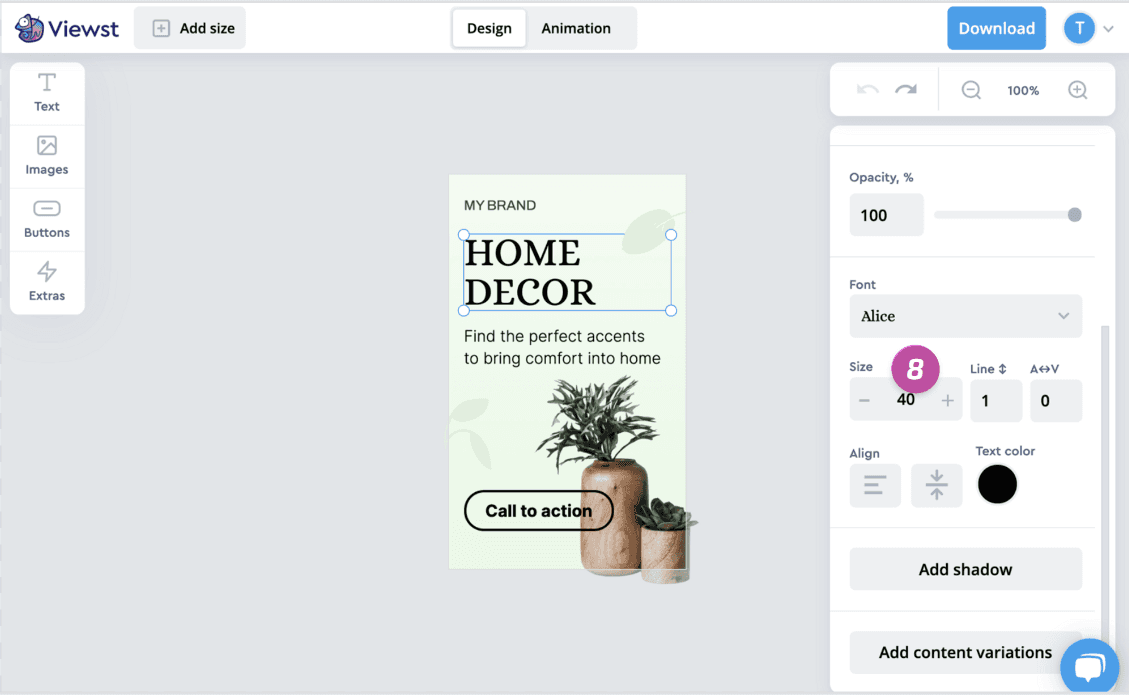
To change the size
Set the text Size in the field 8 by clicking the “+” or “-” buttons or by typing the specific value.
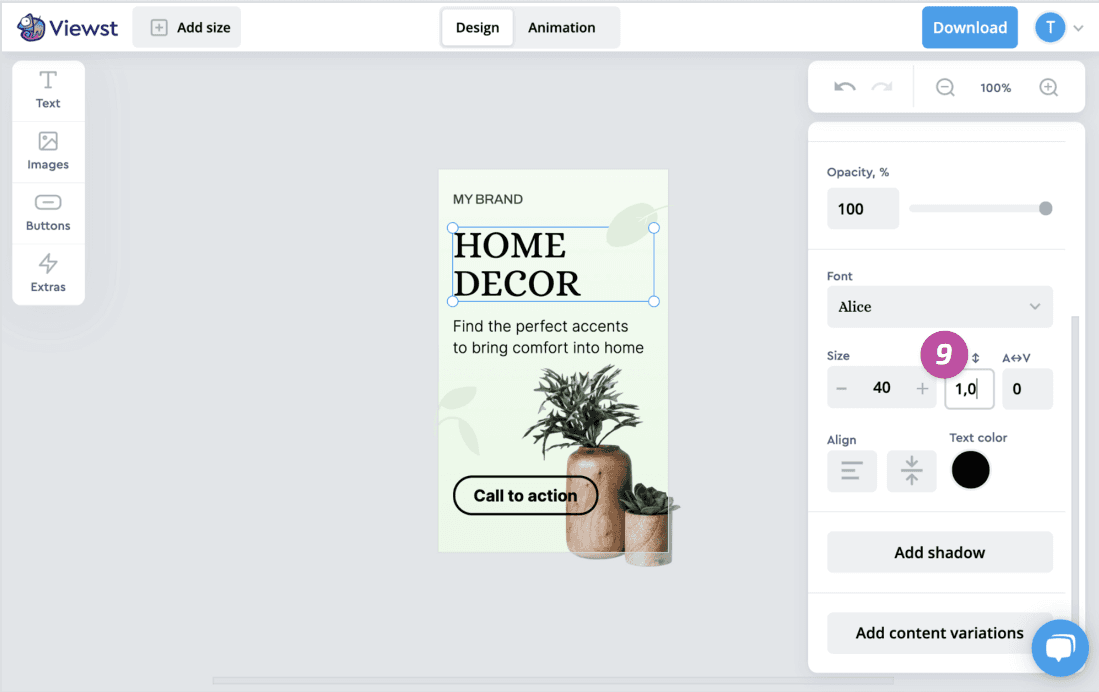
To change the line height (the distance between text lines)
Set the Line height in the field 9 by clicking the “+” or “-” buttons or by typing the specific value.
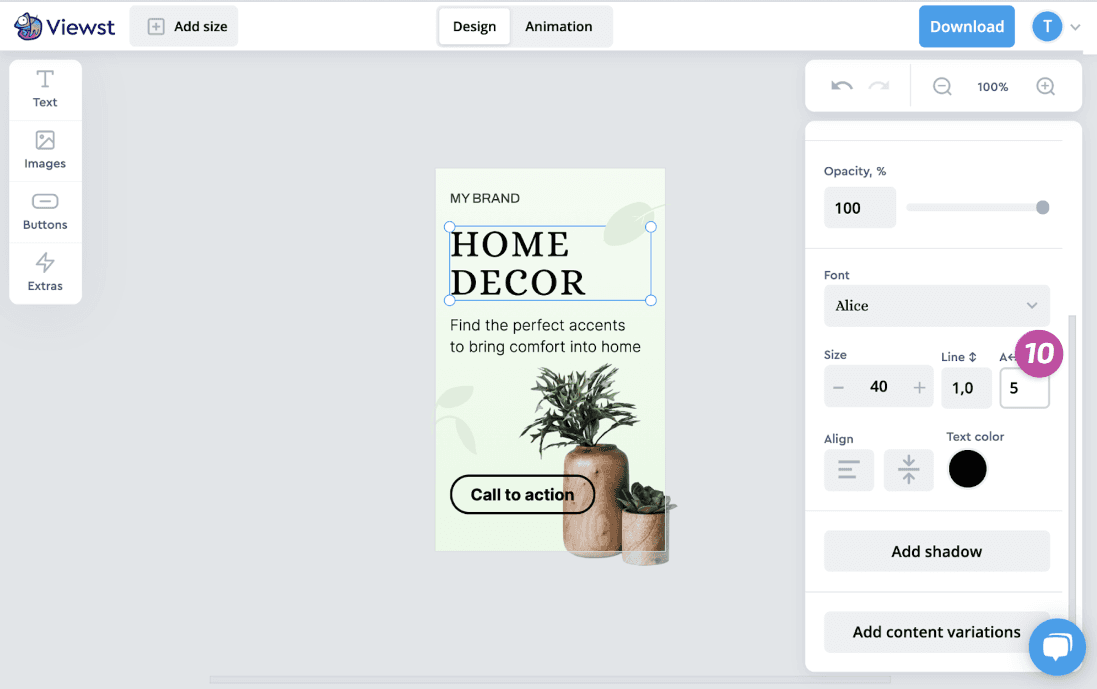
To change the letter spacing (the distance between characters in the line)
Set the A↔︎V in the field 10 by clicking the “↑” or “↓” keys on keyboard (while editing) or by typing the specific value.
Different styles for each individual text fragment
Using text styling in design allows for greater flexibility in styling and formatting. Instead of creating separate text elements for each fragment with different styles, you can now apply various styles to each fragment within a single element. Experiment with different styles to find what works best for your text.
To apply different styles to each individual text fragment, simply select the fragment on the canvas in editing mode and choose a style for it. For this particular fragment, you can change the font, font style, font size, text color, and other styling options.
Content variations can be styled in the same way as CTA and text fragments.
Frequently asked questions
How does Viewst’s platform facilitate real-time collaboration between creative and media teams?
Viewst’s platform facilitates real-time collaboration between creative and media teams by providing a mutual workspace where they can seamlessly collaborate at the design step and are able to share comments and stay on the same page with all their mutual projects. The platform allows for quick and efficient collaboration, enabling teams to receive prompt data on each creative performance. This ongoing conversation and continuous flow of ideas and insights between designers and media buyers enhance understanding and collaboration between the two teams.
Can Viewst provide more details on how they establish attribution connections between Google Campaign Manager and various Demand-Side Platforms?
Viewst has achieved a significant breakthrough by successfully establishing attribution connections between Google Campaign Manager (CM) and various Demand-Side Platforms (DSPs). Through this integration, Viewst provides advertisers with immediate feedback on the effectiveness of their display ads. The platform’s proprietary algorithms correlate user interactions with creative variations across multiple channels, attributing conversions and engagement metrics directly to specific creative elements. This granular level of insight allows for rapid iteration and refinement of ad creatives, leading to improved campaign performance.
What specific features does Viewst offer to bridge the gap between creative and media teams and foster understanding and collaboration?
Viewst offers features, such as statuses for each creative and each ratio inside it, assignee, who is in charge of the project, deadline settings, preview sharing link to speed up and simplify approval process, data analytics of each creative performance, etc.The platform provides a home field for both creative and media teams, creating a space where everyone feels valued and can contribute their unique perspectives. It enables teams to iterate quickly, improve creatives, and speed up go-to-market. With Viewst, collaboration is not a one-off handoff but an ongoing conversation, allowing for a continuous flow of ideas and insights. This fosters a comprehensive understanding of consumer behavior and facilitates data-driven design decisions, resulting in exceptional user experiences.