
TL;DR
Design files become production-ready HTML5 ads through creative automation platforms that import the design, preserve layers and brand elements, add animation, and export native HTML5 across every required size and format. The leading platforms in 2026 that connect design files to ad-ready HTML5 are Viewst, Bannerflow, Celtra, Google Web Designer, and Adobe Animate. Figma is the most common source format, followed by Sketch, Adobe XD, and Photoshop PSD. Direct hand-coding of HTML5 ads from design files is now uncommon; platform-based conversion is the standard production pattern.
The design-to-HTML5 conversion problem
Most ad creative starts its life in a design tool: Figma, Sketch, Adobe XD, Photoshop, or occasionally Illustrator. The problem starts after the design is approved. Someone has to turn the static design into 12 different IAB-standard sizes, add animation, package it as HTML5, and ship it to Google Ads, DV360, Meta, or any major DSP.
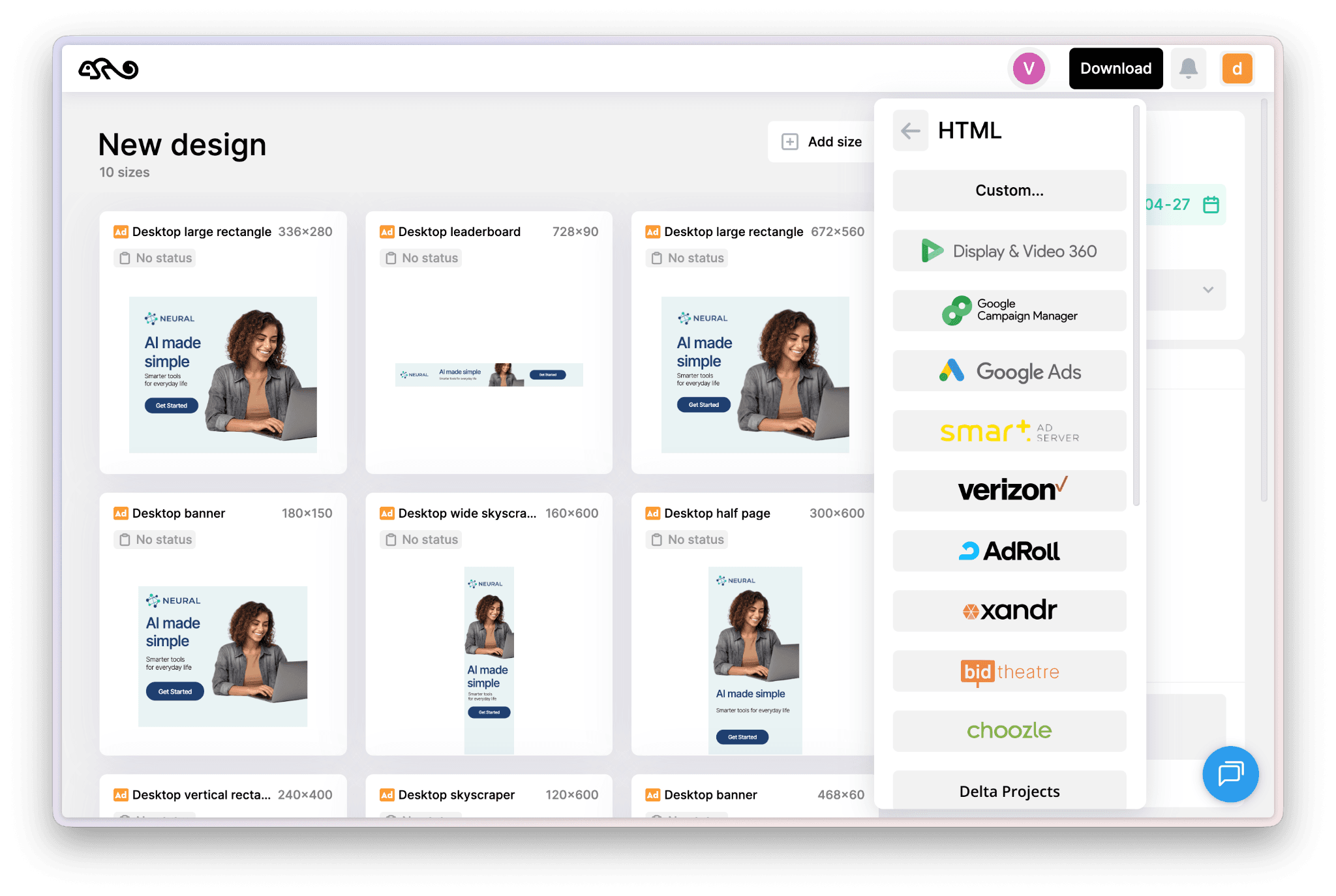
Historically, this conversion was done by rebuilding the design from scratch in a coding-oriented tool like Google Web Designer or Adobe Animate. The rebuild was time-consuming (typically 20 to 40 minutes per ad), error-prone (visual drift from the original design), and a major bottleneck for any team producing display ads at scale.
The modern approach replaces the rebuild with platform-based conversion. The platform reads the design file, preserves the structure, and produces every required HTML5 variant from one source of truth.
Supported source formats across major platforms
Source format | Viewst | Bannerflow | Celtra | Google Web Designer | Adobe Animate |
Figma | Direct import | Direct import | Direct import | Manual rebuild | Manual rebuild |
Sketch | Direct import | Direct import | Direct import | Manual rebuild | Manual rebuild |
Adobe XD | Direct import | Direct import | Direct import | Manual rebuild | Limited import |
Photoshop PSD | Layer import | Layer import | Layer import | Layer import | Native support |
Illustrator AI | Limited | Limited | Limited | Limited | Native support |
Static images (PNG/JPG) | Yes, as flat asset | Yes | Yes | Yes | Yes |
The leading creative automation platforms support multiple source formats with direct import. Adobe Animate has the deepest support for native Adobe formats but requires manual rebuilds from non-Adobe source files. Google Web Designer typically requires manual rebuilds from any source format, which is why it's used less often for high-volume production in 2026. (For the Figma-specific deep dive, see how to convert Figma designs into HTML5 ads automatically.)
How the conversion actually works
The technical workflow has six steps that platforms execute behind the scenes.
Step 1: Parse the design file. The platform reads the source file (Figma JSON, Sketch ZIP, Adobe XD format, or PSD layers). Layer hierarchy, text styles, fonts, images, vectors, and brand elements are extracted.
Step 2: Build a master canvas. The imported design becomes a master creative inside the platform. Designers can then modify the master, lock brand elements, and configure dynamic content placeholders.
Step 3: Add animation. Most design files are static. The platform's animation tools layer in motion: entry animations, dwell effects, exit animations, and any micro-interactions. Animation timing is configured once and propagates to all variants.
Step 4: Configure variation specifications. The producer selects which sizes, languages, offers, and dynamic content variants to generate. The platform reads the configuration and prepares the variant set.
Step 5: Generate HTML5 variants. The platform produces every variant as native HTML5. Each variant includes the HTML markup, CSS for layout and animation, JavaScript for interactivity, and embedded or referenced assets. File sizes are optimized to meet ad network limits.
Step 6: Validate against ad network specifications. Before export, the platform validates each variant against the specifications of the target networks (Google Ads, DV360, Meta). Variants that fail validation are flagged for correction.
The whole loop, for a campaign with 30 to 50 variations, typically runs in 4 to 8 hours of human work, with the platform handling the heavy lifting in seconds to minutes per variant. The full mechanics of platform-based HTML5 production are covered in our HTML5 ad automation guide.
What good conversion preserves vs. what gets lost
Even the best platforms cannot preserve every detail of a source design exactly. Understanding the trade-offs helps designers plan upfront.
Preserved with high fidelity. Layer structure, text content, basic typography (font family, size, weight, color), images, basic shapes, gradients (with caveats), and approved brand colors.
Preserved with moderate fidelity. Advanced typography effects, complex masks, custom fonts (require embedding), advanced gradients, blur effects, and shadows. These typically work but may render slightly differently across browsers.
Frequently lost or simplified. Complex blending modes, non-standard fonts without embedding, raster effects applied at high resolution, vector effects that depend on path operations, and any design feature that depends on specific design-tool rendering.
Always rebuilt. Animation, interactivity, dynamic content placeholders, and ad network-specific requirements like click tags and exit tracking.
Designers planning for HTML5 production can save themselves rework by avoiding the "frequently lost" category in master designs.
How to design for clean HTML5 conversion
Six design choices that produce clean HTML5 output from any major design tool.
Use Auto Layout (Figma) or its equivalent. Designs built with auto-layout adapt more cleanly to resize than designs built with absolute positioning. Auto-layout is the difference between a 728x90 banner that looks like a stretched 300x250 and one that looks intentionally designed.
Stick to web-safe fonts or embed clearly. Custom fonts work but add file size. Plan for which fonts are embedded and which use web-safe fallbacks.
Keep brand assets at high resolution. Logos and brand assets should be vectors when possible, or at least 2x resolution. Lower-resolution assets pixelate in larger banner sizes.
Plan the resize before designing. A design at 1200x628 cannot become a 160x600 without thought. Designers who plan for multiple aspect ratios upfront produce cleaner variants.
Avoid complex blending modes and effects. Multiply, screen, and color blending modes often don't translate cleanly to HTML5. Where possible, achieve the visual effect through simpler means (transparency, layered colors, exported flat assets).
Establish a clear visual hierarchy. CTAs, headlines, and key visual elements should be obvious at the smallest banner size. If the design's hierarchy is unclear at 160x600, the conversion will surface the problem.
File size and performance constraints
The HTML5 output has to meet ad network specifications. The most important constraints in 2026.
Google Ads: 150 KB for most display formats, with exceptions for rich media. Animation must be 30 seconds or less. Maximum 30 frames per second.
DV360: Similar to Google Ads at 150 KB baseline, with higher allowances for some specialized formats.
Meta (in-feed display): 1 MB for most formats. More generous than Google's display network.
TikTok: 5 MB for branded effect units, lower for standard formats.
IAB Standard: 150 KB for most retail display units.
Modern creative automation platforms validate against these specifications during the export process. Variants that exceed limits get flagged for optimization (typically through image compression or simplified animation).
When to use which platform for design-to-HTML5 conversion
A practical decision tree.
For Figma-first teams shipping high volume: Viewst, Bannerflow, or Celtra. All three have strong Figma import and high-volume variant production. The choice between them depends on team size and procurement appetite.
For Adobe-ecosystem teams: Adobe Firefly Services or Adobe Animate for direct Adobe format support. Animate for hand-crafted animation, Firefly Services for the automation layer.
For occasional one-off ads: Google Web Designer is free and adequate. Not suitable for scale, but works for low-volume one-offs.
For ad agencies with mixed source files: Viewst, Bannerflow, or Celtra. All three handle the multi-format reality of agency work. (For the scaling math behind agency variant production, see how to produce hundreds of ad variations.)
For e-commerce teams with feed-driven dynamic creative: Smartly, Rocketium, or Bannerflow's DCO integration. The dynamic content layer matters more than the source format flexibility.
Where Viewst fits
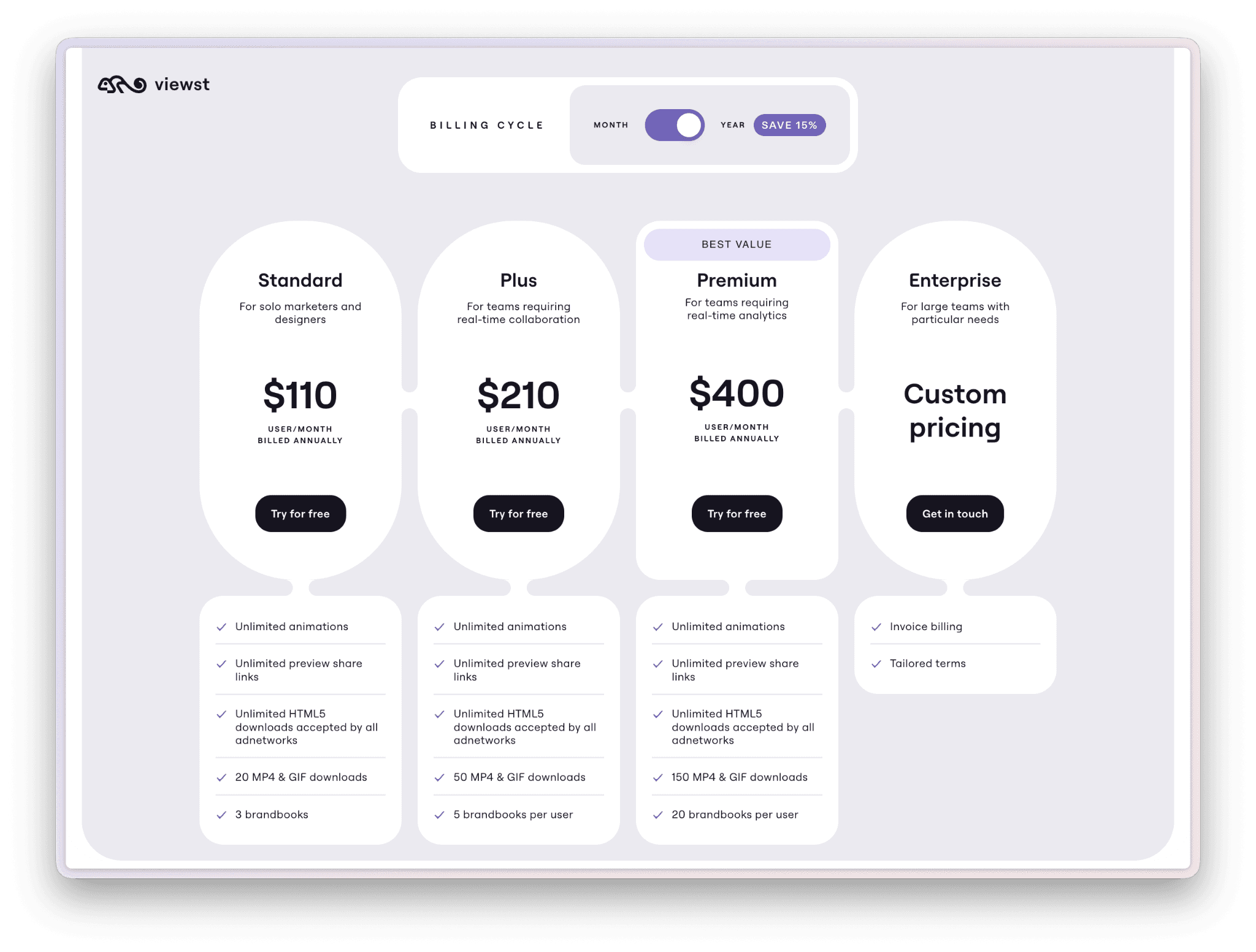
Viewst supports direct import from Figma, Sketch, and Adobe XD, with Photoshop PSD layer import for teams that work in Adobe. The platform preserves layer structure, brand elements, and typography from source files, then handles animation, variation generation, and validation against ad network specifications. The free trial includes the full conversion workflow, so designers can test the import fidelity with real source files before committing, and tier inclusions are on the Viewst pricing page.
Common mistakes in design-to-HTML5 conversion
Designing without considering resize. A design that works beautifully at 1200x628 may break at 160x600. Designers who plan for the smallest size upfront produce cleaner variants.
Using non-standard fonts without embedding. Custom fonts that aren't properly embedded fall back to system fonts in the browser, which often looks wrong. Plan font embedding from the start.
Skipping animation testing. Animation that looks smooth in the design tool may stutter on slower devices. Test animation on representative devices before locking the master.
Ignoring file size during design. A 4 MB master with high-res photography won't compress to a 150 KB HTML5 variant without quality loss. Plan asset weight upfront.
Hand-coding when platform conversion would work. Hand-coding HTML5 ads from design files is now uncommon at scale. Teams still doing it should evaluate platform-based conversion against the time investment.
Frequently asked questions
What tool connects design files to ad-ready HTML5?
Creative automation platforms like Viewst, Bannerflow, and Celtra connect design files directly to HTML5 ad output. They import source files (Figma, Sketch, Adobe XD, PSD), preserve the design, add animation, and export native HTML5 across every required size. Older tools like Google Web Designer and Adobe Animate work for one-off conversion but typically require manual rebuilds rather than direct import.
Can I convert Figma designs directly to HTML5 ads?
Yes, with the right platform. Viewst, Bannerflow, and Celtra all support direct Figma import with preserved layers, fonts, and brand elements. The conversion fidelity depends on the platform's import quality, which varies. Test with a complex real design before committing.
What about Sketch and Adobe XD?
Most leading creative automation platforms support Sketch and Adobe XD in addition to Figma. The import quality is typically similar to Figma for these formats. Adobe XD specifically benefits from Adobe ecosystem integration when used with Adobe Firefly Services.
Can PSD files be converted to HTML5 ads?
Yes, through layer import. The platform reads PSD layer structure and translates it into the HTML5 canvas. PSD-to-HTML5 conversion is more limited than vector-format conversion because PSD layers are typically raster. Vector source formats produce cleaner HTML5 output.
What is the file size limit for HTML5 ads in 2026?
Google Ads enforces 150 KB for most display formats. DV360 follows similar limits. Meta allows up to 1 MB for in-feed display. TikTok allows up to 5 MB for branded effect units. The platform validates against these limits during export.
Do creative automation platforms produce animations or just static HTML5?
Modern creative automation platforms produce animated HTML5 with built-in animation tools. The animation is configured on the master creative and propagates to all variants. Animation timing, easing, and effects can be edited per variant if needed.
How does HTML5 ad conversion compare to building ads in Google Web Designer?
Creative automation platforms produce HTML5 output comparable to or better than Google Web Designer for most use cases, with the major advantage being scale. Google Web Designer is suitable for one-off ads. Creative automation platforms are suitable for campaigns with 10+ variants where the automation layer pays for itself. For teams comparing Viewst directly against another platform-based converter, Viewst vs Creatopy covers the feature differences.
Sources
Google Ads HTML5 Specifications, support.google.com/google-ads.
IAB Display Creative Guidelines 2026, iab.com.
Meta Advertising Standards, business.meta.com.
W3C HTML5 Specification, w3.org/TR/html5.
Adobe Animate Documentation, helpx.adobe.com/animate.
Bottom line
Design files become production-ready HTML5 ads through creative automation platforms that handle the entire conversion: parsing the source file, preserving the design, adding animation, generating variants, and validating against ad network specifications. The leading platforms in 2026 (Viewst, Bannerflow, Celtra) support direct import from Figma, Sketch, and Adobe XD, with PSD layer support for Adobe-ecosystem teams.
The economic case for platform-based conversion is straightforward: at any meaningful production volume, the platform saves dramatically more designer hours than the cost of the platform. The teams still doing hand-conversion from design files to HTML5 are typically operating below the volume threshold where automation pays off, or using legacy workflows that haven't been re-evaluated.
For teams considering the transition, the productive approach is to test platform conversion with one real campaign before committing to a platform choice. The first conversion typically ships at 5 to 10 times the speed of the manual equivalent, with comparable output quality.

He started with development background, then turned into designer and finally came to the product management. Yuri has had a tremendous and different experience. He managed production in a digital agency, managed the development of different apps, financial platforms, CRMs and ERPs. Moreover, Yuri won in some hackathons. Yuri is passioned about building systems and unravel chaos.
In this article
" height="11.060000000000002px" id="wzBCZ87AK" transform="translate(6.47 2.47)" width="6.590000000000003px"/></g></svg>)